If you need to temporarily stop accepting online reservations for a specific day, you can easily disable availability directly from the offer settings.
- In the calendar, select the desired date for which you want to disable online reservations.
- Click on the eye icon next to the name of the desired offer.
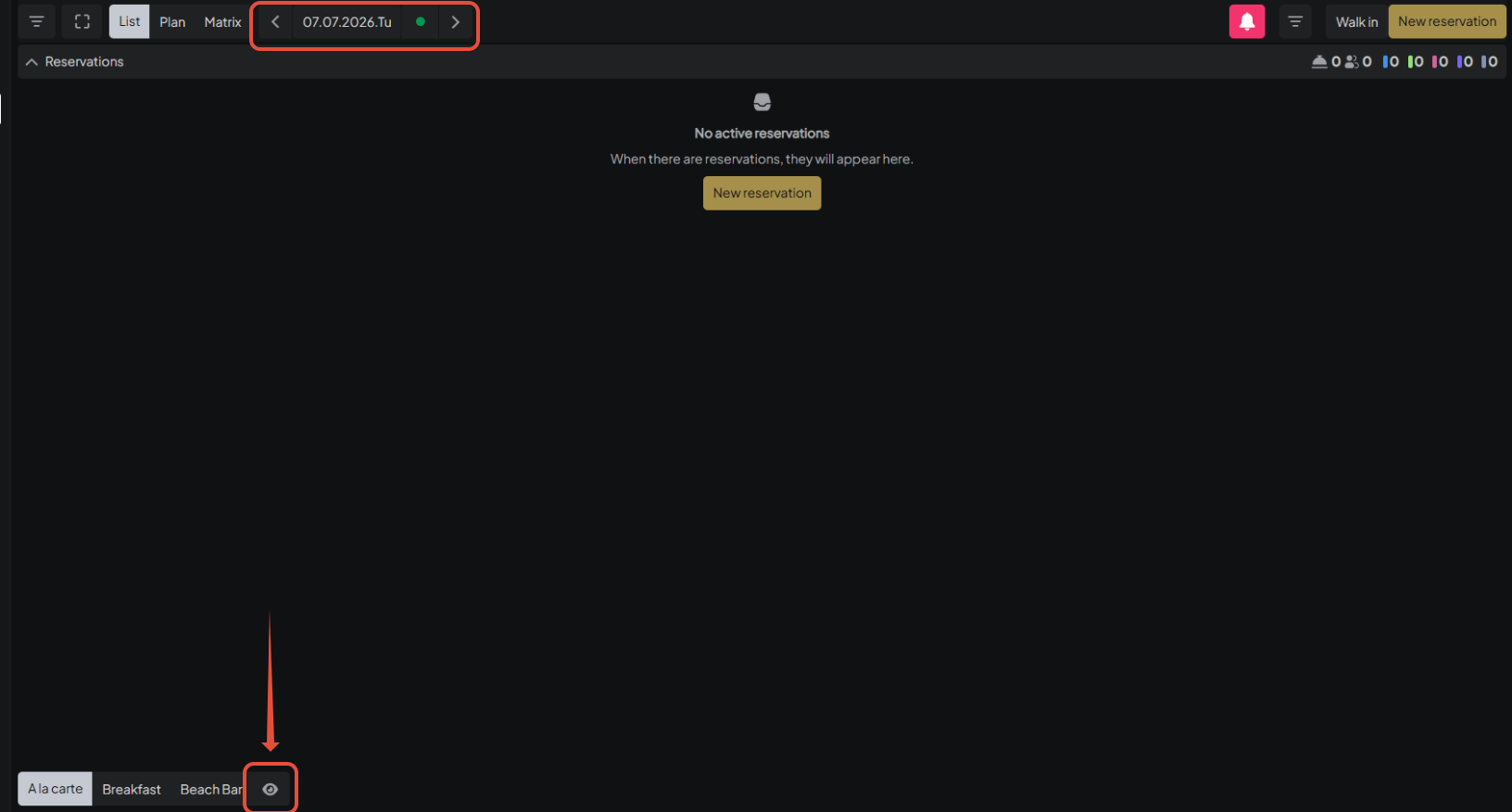
- The system will display the option “Disable Day”.
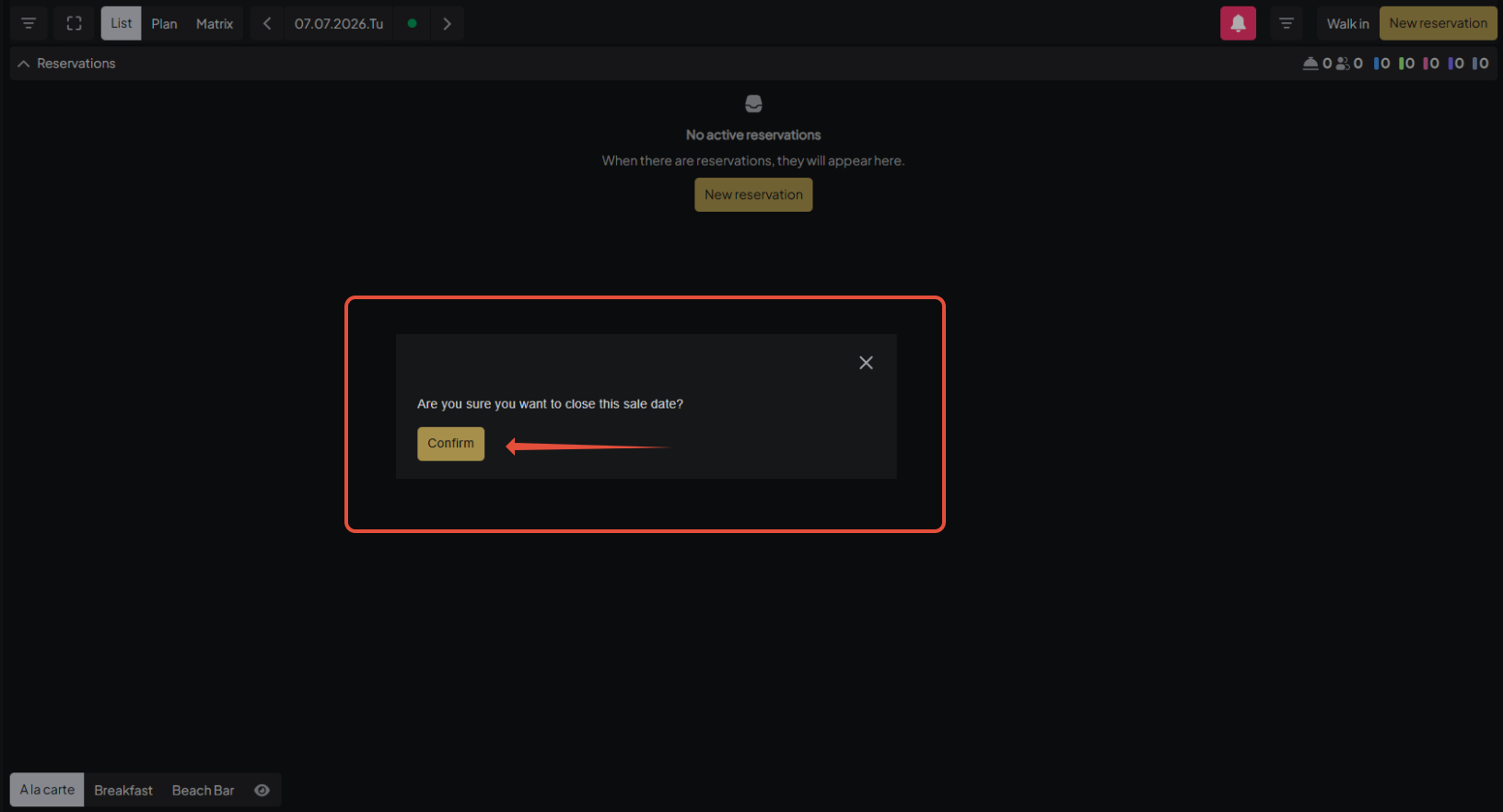
- Click “Confirm” to proceed.
- Once confirmed, the system will automatically close all available offers and disable online reservations for that selected day.
This option allows you to quickly manage availability and prevent new reservations from being made for a specific date.
Was this article helpful?
That’s Great!
Thank you for your feedback
Sorry! We couldn't be helpful
Thank you for your feedback
Feedback sent
We appreciate your effort and will try to fix the article