After inviting a new user from the User Management section and assigning the appropriate roles and permissions, the user must complete the registration process by following these steps:
Important: The user must register using the same email address to which the invitation was sent. Registration with a different email address will not be successful.
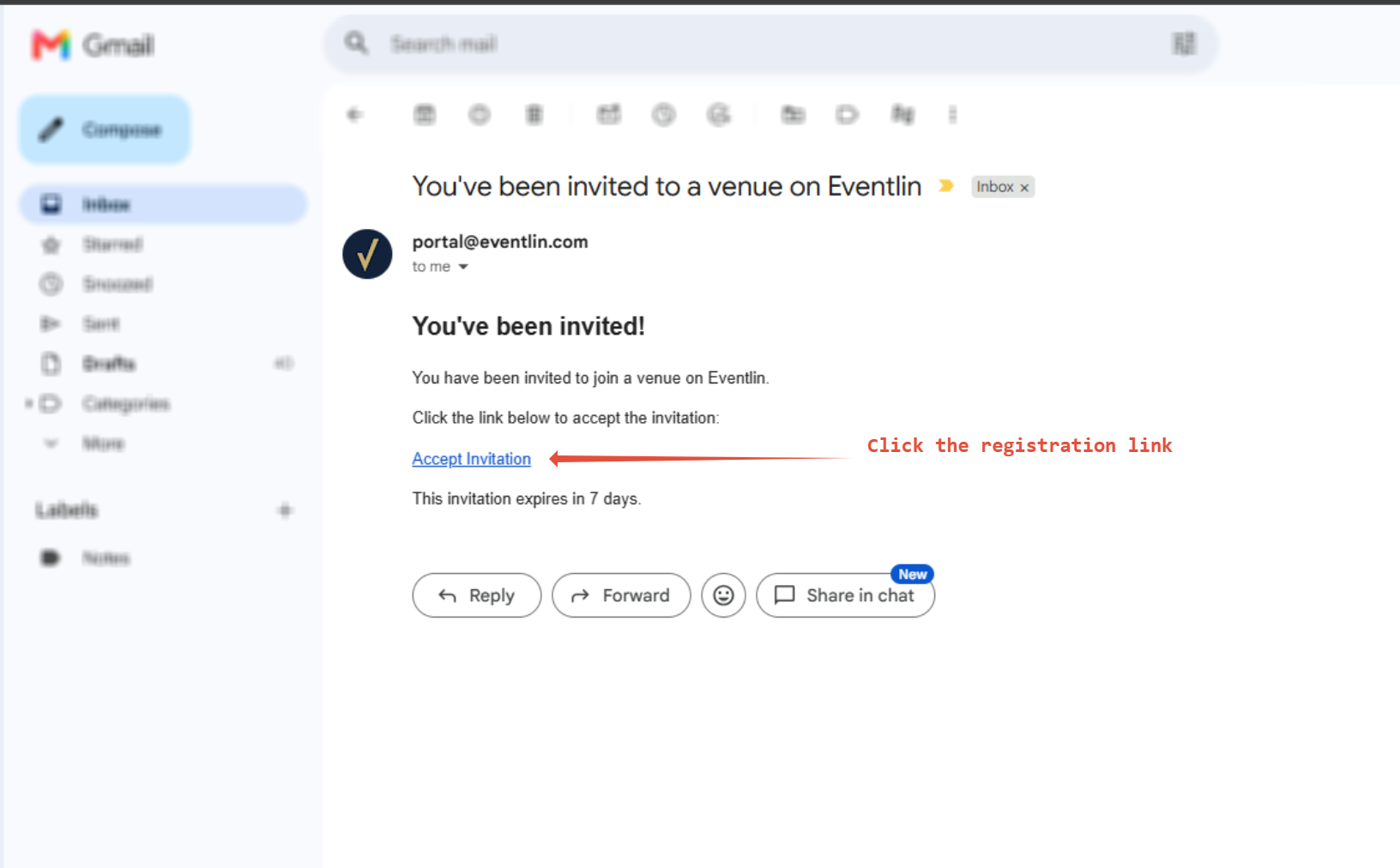
Open the invitation email sent by the system.
Click the registration link included in the email.
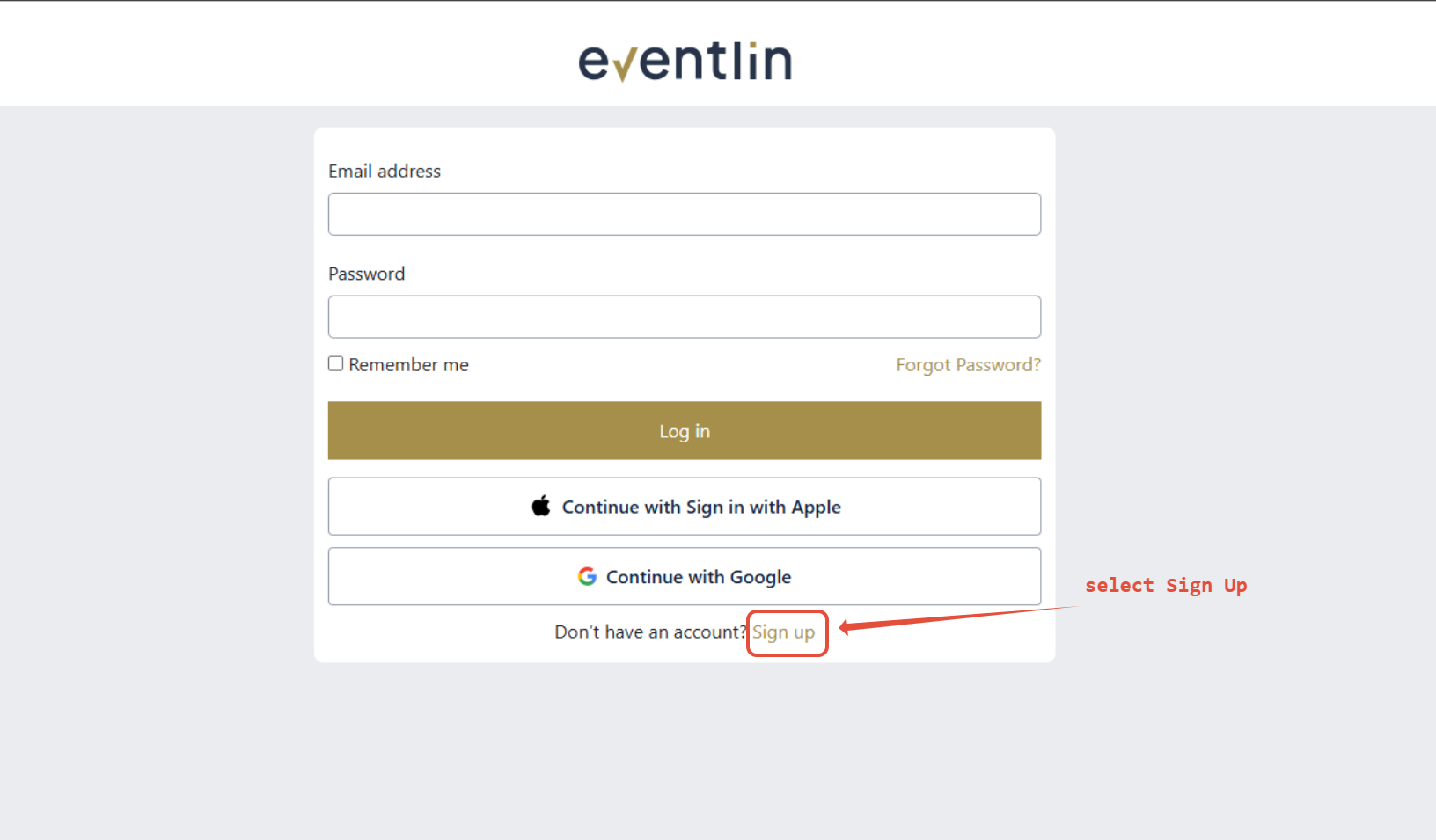
Once the login page opens, select Sign Up.
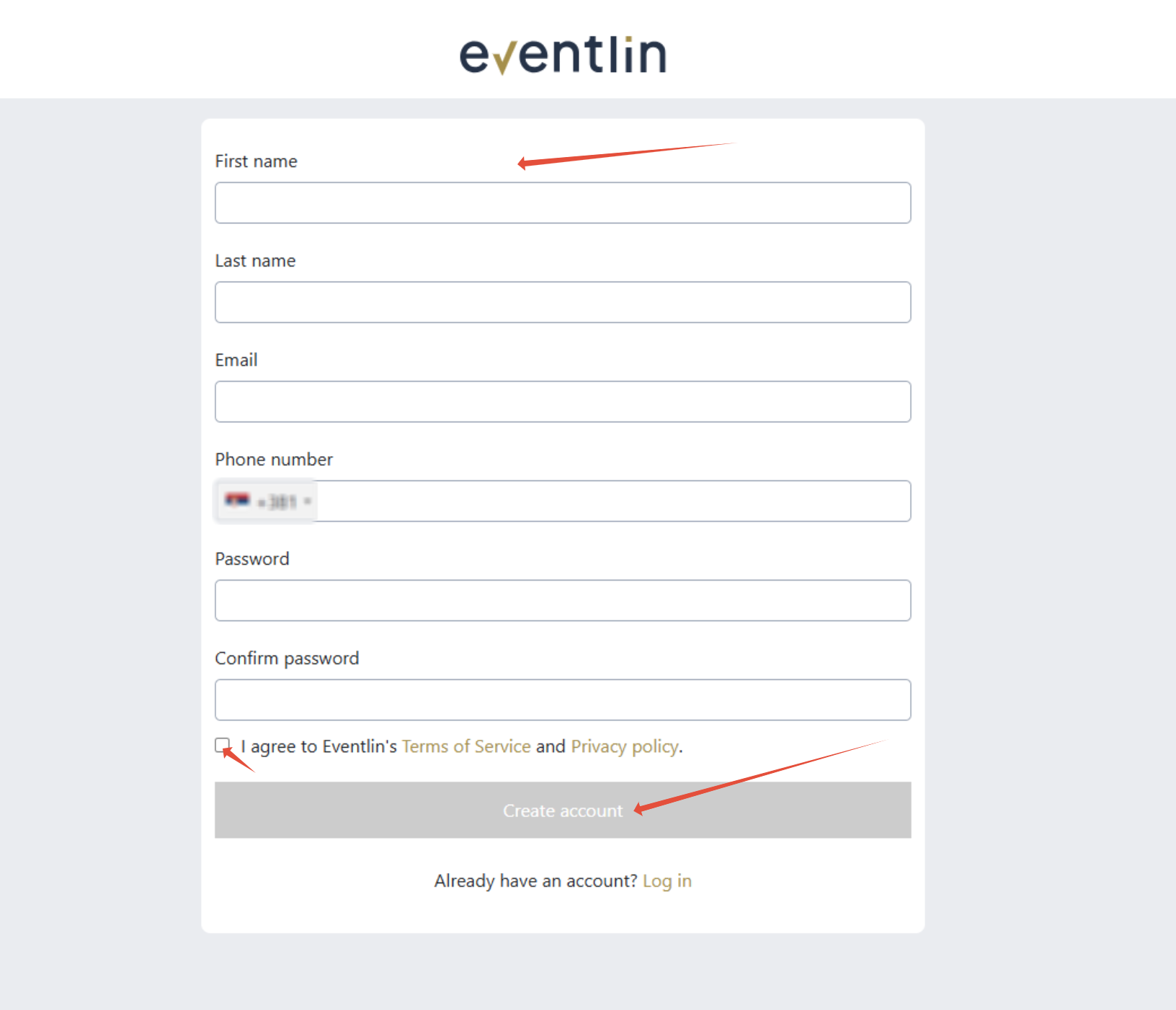
Complete all required fields in the registration form.
Review and accept the Terms and Conditions.
Click Create Account to complete the registration.
Once the registration is complete, the user can sign in to the system and start managing reservations according to the roles and permissions that have been assigned.
Note: If the invitation link has expired, please contact your administrator to request a new invitation.
Was this article helpful?
That’s Great!
Thank you for your feedback
Sorry! We couldn't be helpful
Thank you for your feedback
Feedback sent
We appreciate your effort and will try to fix the article